
Settings
How Amount treats flat areas
How Amount treats flat areas
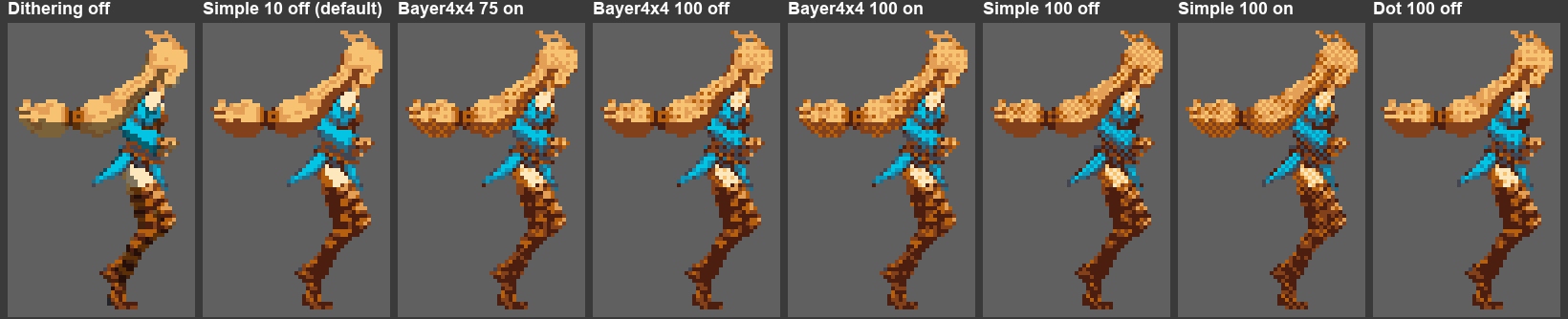
Areas whose color exactly matches a palette color stay solid up to 50%. Above 50%, Bayer and Dot patterns fade them in, reaching a 25% pattern at 100. Simple and Line patterns have no 25% level, so they pattern those areas only at exactly 100, at 50%.
Tips
- Start with Bayer 4x4 around 50 to 75% for smooth shading, or Simple for a classic checker.
- For a custom pattern, use a small PNG inside
Assets. If it can’t be read, enable Read/Write in its import settings.