Mode
Auto palettes
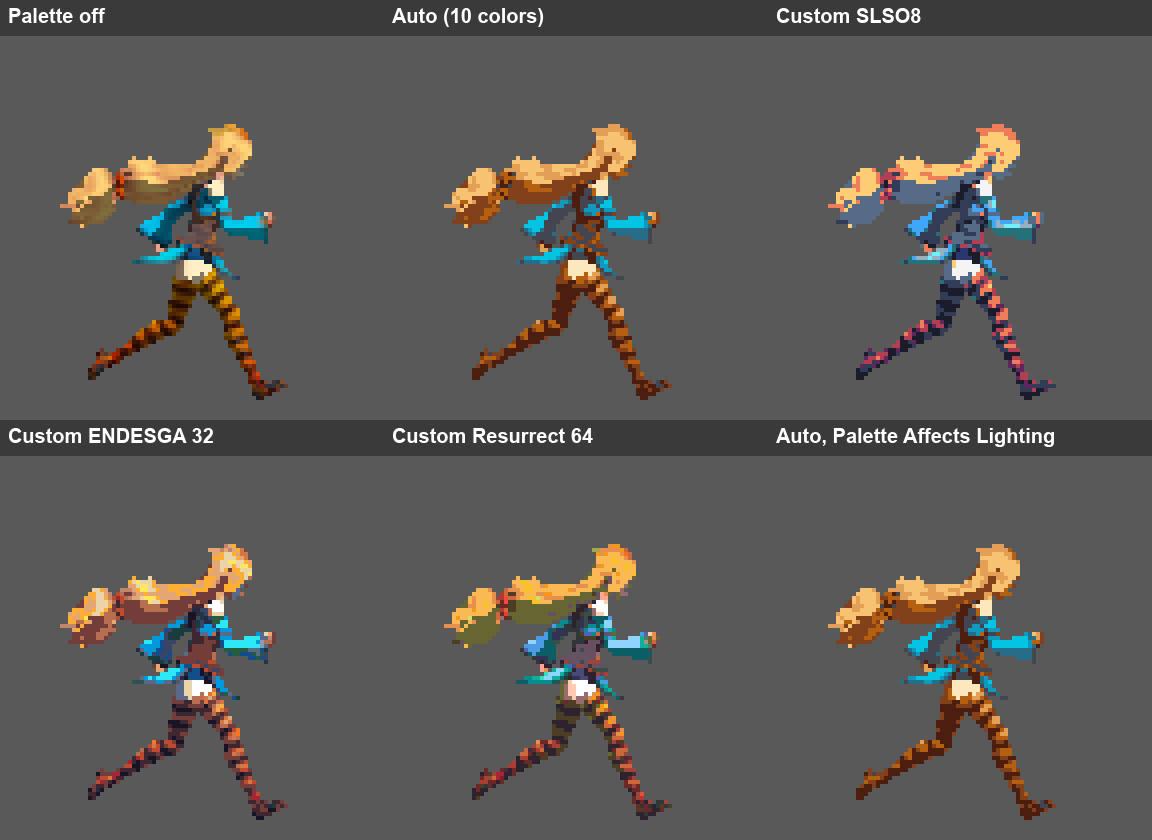
An Auto palette is generated per Pixelate Asset from what the Preview shows: the current camera view and clip, sampled across its frames. A grey line such asGenerated from Preview: Right / Run tells you where the colors came from.
- Generate / Regenerate builds the palette from the colors in the current Preview. To use another view or clip, switch the Preview first.
- Edit lets you change the generated colors by hand. Sort then reorders them. Regenerating asks before it discards your edits.
- Export saves the palette as a Pixelate Palette asset, so other assets can use it as a Custom palette.
Custom palettes
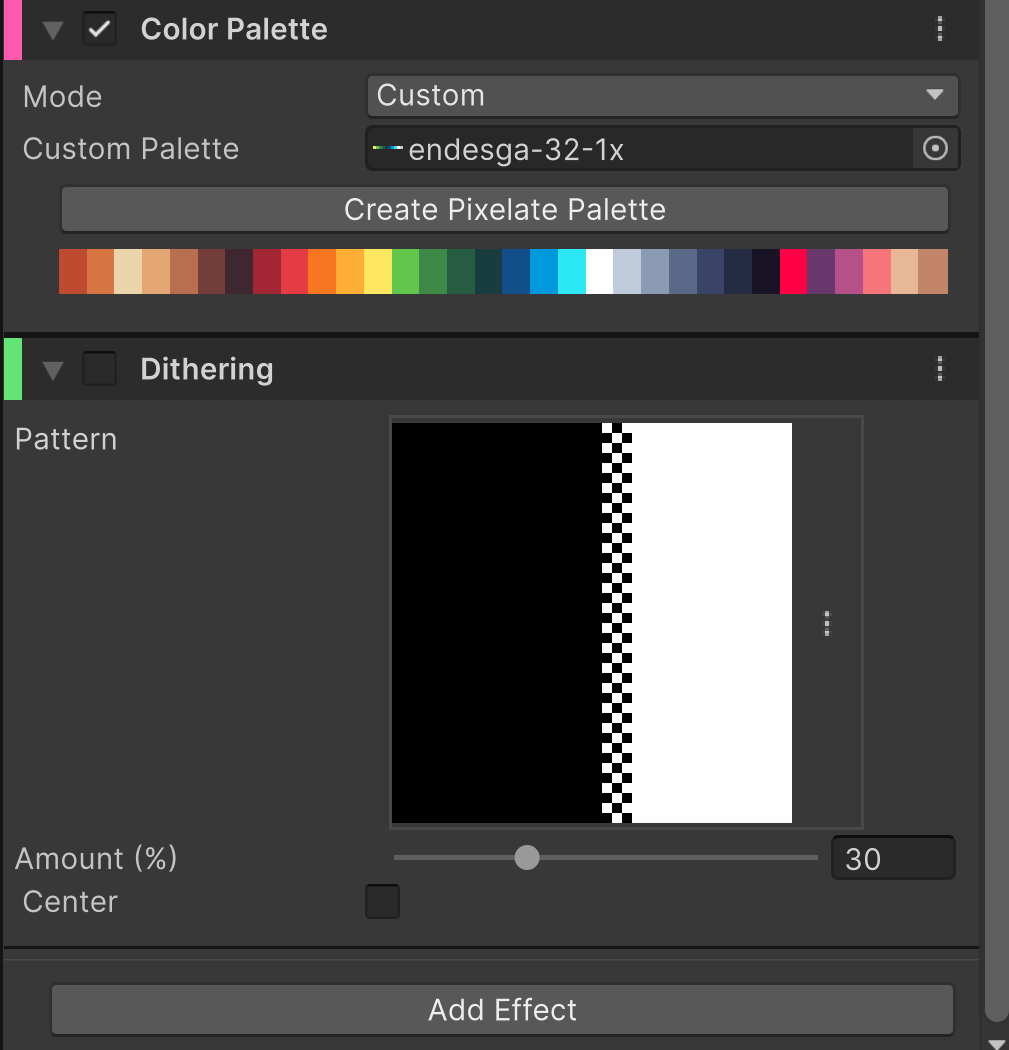
- a Pixelate Palette asset. Click Start Editing to reorder, sort and edit its slots in place, and Stop Editing when done.
- an imported palette file (
.gpl,.pal,.hex). It is read-only because the file owns it; Create Editable Copy saves an editable Pixelate Palette next to it and assigns the copy. - a Sprite or Texture palette strip, such as a PNG downloaded from Lospec. Create Pixelate Palette turns it into an editable Pixelate Palette and assigns it.
Color Palette and Lighting
When the profile also has Lighting, its Palette Affects Lighting setting decides the order:- Off: the base colors are snapped first, then lit. Lit sprites can show in-between shades.
- On: the lit result is snapped, so the final sprite uses only palette colors.