> ## Documentation Index
> Fetch the complete documentation index at: https://docs.pixelatestudio.tomblack.ca/llms.txt
> Use this file to discover all available pages before exploring further.
# Pixelate Pro
> Turn 3D models, prefabs and particle effects into pixel-art sprite sheets inside the Unity Editor.
Pixelate Pro converts your 3D content into game-ready pixel-art sprites. You pick a model, prefab or particle prefab, check the result in the Inspector preview, and press **Export**. Pixelate Pro writes sliced sprite sheets, and optionally Animation Clips, an Animator Controller, a Sprite Library and normal maps for 2D lights.
Everything happens in the Editor, in windows you already use: the Project window, the Inspector and its preview. You don't need a capture scene, a camera setup or Play Mode.
 ## How it works
A Pixelate Asset is a project asset that describes one thing to turn into sprites: its source, camera views, animation clips and output settings.
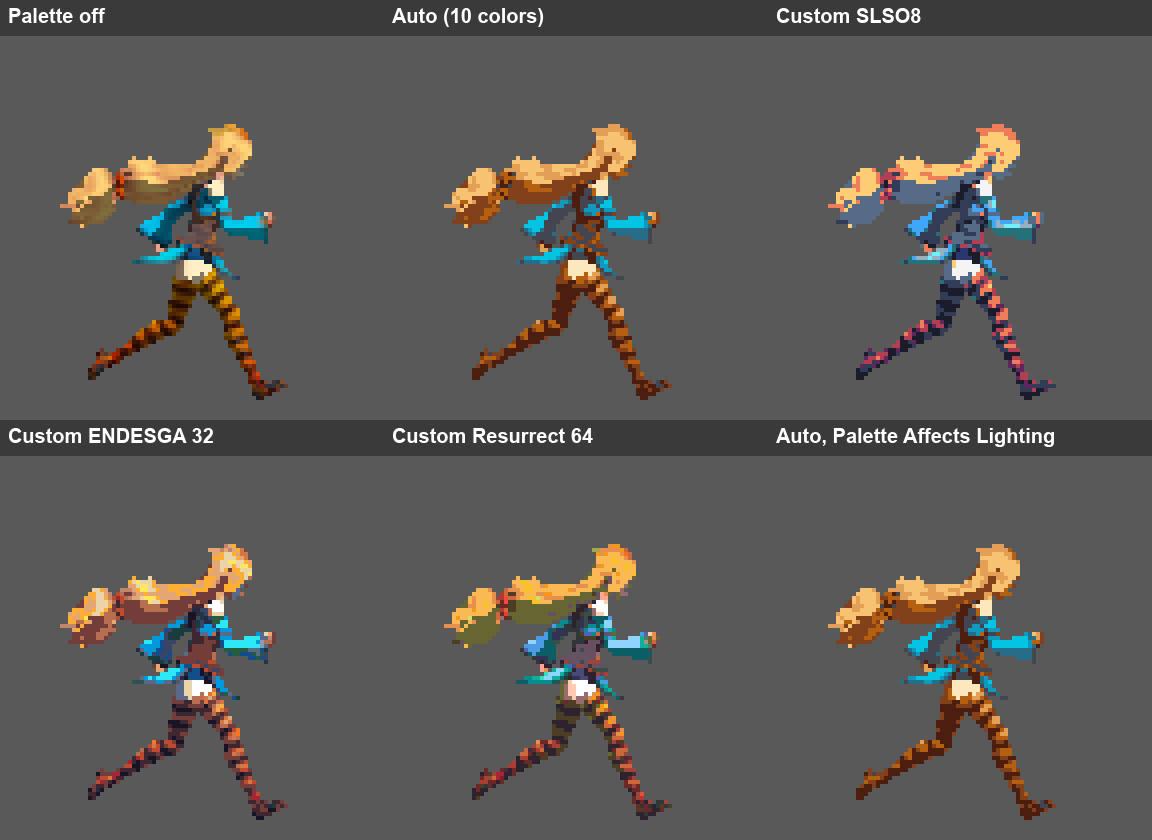
A Style Profile holds the look: pixels per unit and a stack of effects such as Color Palette, Lighting and Lines. Many assets can share one profile, so your whole cast stays consistent.
The Inspector preview shows the exact output, pixel for pixel, for any view, clip and frame.
Export writes PNG sprite sheets, already sliced and imported with the right settings, next to your asset or into a folder you choose.
## Where to start
Your first sprite sheet in under a minute.
Every setting of a Pixelate Asset, section by section.
Share one look across many assets, with per-asset overrides.
What each validation message means and how to fix it.
## What Pixelate Pro is not
Pixelate Pro is an Editor tool. It doesn't add runtime components to your game, capture during Play Mode, or paint pixels by hand. See [Compatibility](/compatibility) for supported Unity versions and render pipelines.
This documentation is built and hosted on [Mintlify](https://mintlify.com), a developer documentation platform.
## How it works
A Pixelate Asset is a project asset that describes one thing to turn into sprites: its source, camera views, animation clips and output settings.
A Style Profile holds the look: pixels per unit and a stack of effects such as Color Palette, Lighting and Lines. Many assets can share one profile, so your whole cast stays consistent.
The Inspector preview shows the exact output, pixel for pixel, for any view, clip and frame.
Export writes PNG sprite sheets, already sliced and imported with the right settings, next to your asset or into a folder you choose.
## Where to start
Your first sprite sheet in under a minute.
Every setting of a Pixelate Asset, section by section.
Share one look across many assets, with per-asset overrides.
What each validation message means and how to fix it.
## What Pixelate Pro is not
Pixelate Pro is an Editor tool. It doesn't add runtime components to your game, capture during Play Mode, or paint pixels by hand. See [Compatibility](/compatibility) for supported Unity versions and render pipelines.
This documentation is built and hosted on [Mintlify](https://mintlify.com), a developer documentation platform.